

Back

Free apps for freelancers and small businesses

Two apps I built for my own work and released for everyone: time tracking with payments per client, and a budget built around a payment calendar. Free, no sign-up and no servers of ours: the data lives on your computer.

Who they are for

For a freelancer who works by the hour for several clients and wants to see who owes what. And for anyone who runs a household or business budget by payments (rent, insurance, subscriptions, taxes) and wants to know in advance which payment the money will not stretch to.

What both apps have in common

  • Run on macOS (Intel and Apple Silicon) and Windows 10 or newer, fully offline.
  • Data in one file on your computer, with daily copies. Sync between computers is optional, through a hidden folder of your own Google Drive. There are no servers of ours.
  • Open source on GitHub under the MIT licence: check what is inside and adapt it.
  • Interface in English and Russian, dark and light theme. The app installs its own updates.

WE Time Tracker

Work hours and client payments

A timer with a task description, client and project, an hourly rate per client or project, a payment ledger and a balance: who owes you and who has paid ahead. Reports for any period with CSV export for Excel or Numbers. The running timer shows in the Mac menu bar and the Windows tray.

  • Pause and resume without losing time, entries added after the fact
  • Every entry keeps the rate it was made with: changing a rate never rewrites past earnings
  • Payments, debts and advances per client
  • CSV and JSON export, filters by client, project, payment status and period

Version 1.9.2, 2026-10-05 · all versions and release notes
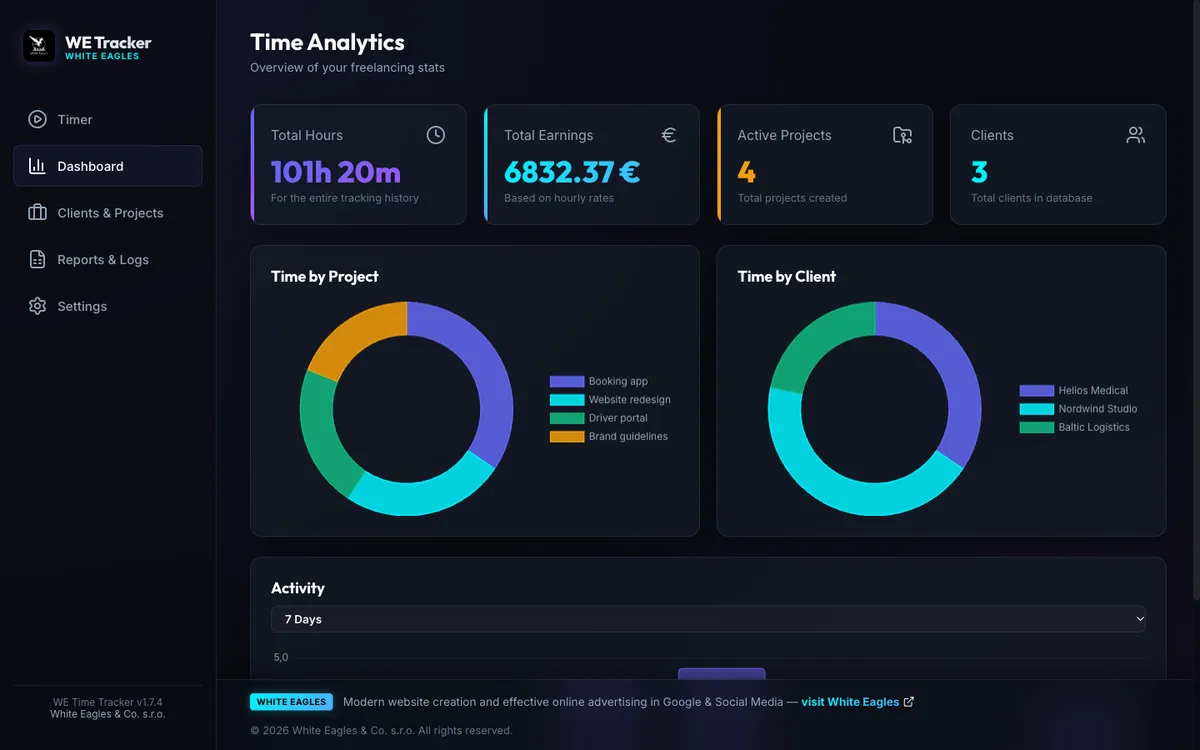
WE Time Tracker: Work hours and client payments
First launch on a Mac

The apps are signed but not notarised by Apple (that needs a paid developer account), so on the first open macOS says the file is damaged. It is not: the command below only removes the mark a browser puts on a download. Run it once in Terminal after dragging the app to Applications. Later updates are installed by the app itself, without this step.

xattr -cr "/Applications/WE Time Tracker.app"
First install on Windows

The installer is not signed with a paid certificate, so SmartScreen warns about an unknown publisher: choose More info, then Run anyway. It installs into your own account without administrator rights, and updates are installed by the app itself, without this window.
WE Budget

A payment calendar with envelopes

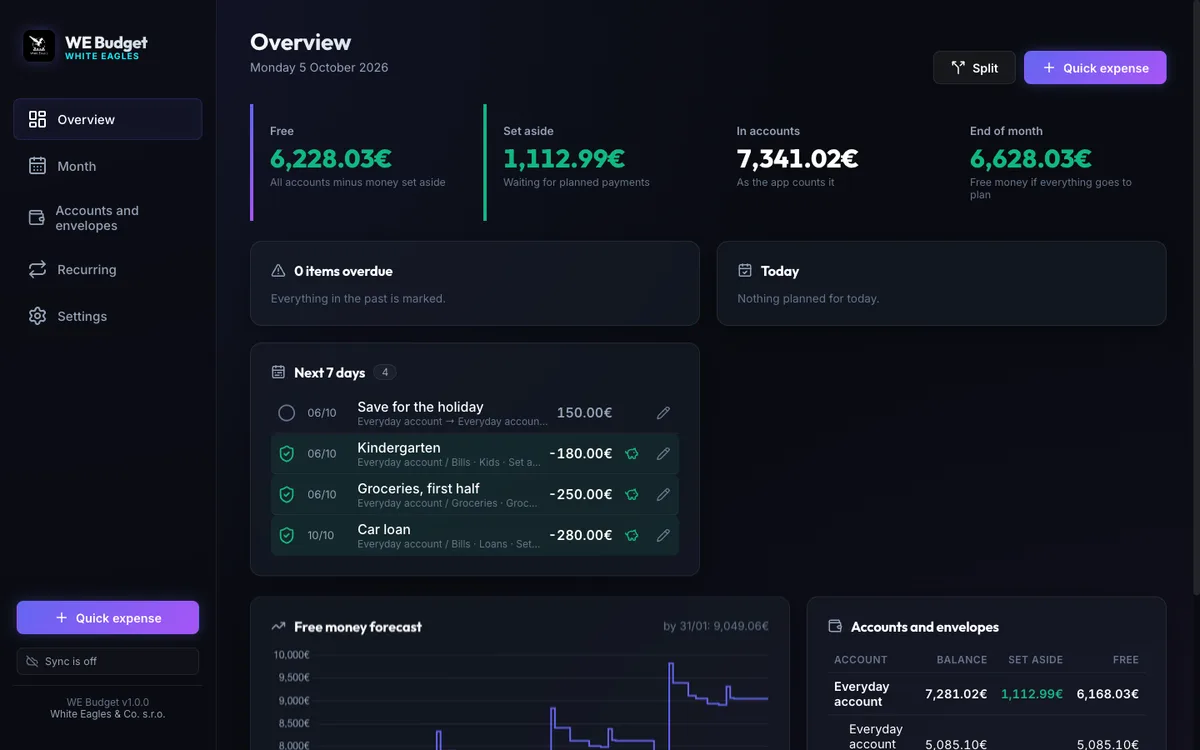
Each month is a list of payments and incomes with a status: planned, set aside, done. Money for upcoming payments is set aside in envelopes on your accounts, and the app shows at any moment how much is really free and which payment there will not be enough for. Recurring payments fill the months ahead by themselves, and checking against the bank turns any difference into a visible adjustment.

  • Split an income across envelopes with one confirmation
  • Analytics: income and expenses by month, expenses by category, plan against fact
  • Goals with a date and a monthly contribution
  • Payment reminders through Google Calendar, so they reach your phone
  • A phone version for iPhone and Android: today's payments, quick expenses, free money

Version 1.1.3, 2026-10-05 · all versions and release notes

WE Budget: A payment calendar with envelopes
Installing the phone version

Open the phone version in Safari on an iPhone or in Chrome on Android, tap Share, then Add to Home Screen. Sign in with the same Google account as on the computer and the budget comes down from your Google Drive. The plan, recurring payments and accounts are edited on the computer.

First launch on a Mac

The apps are signed but not notarised by Apple (that needs a paid developer account), so on the first open macOS says the file is damaged. It is not: the command below only removes the mark a browser puts on a download. Run it once in Terminal after dragging the app to Applications. Later updates are installed by the app itself, without this step.

xattr -cr "/Applications/WE Budget.app"
First install on Windows

The installer is not signed with a paid certificate, so SmartScreen warns about an unknown publisher: choose More info, then Run anyway. It installs into your own account without administrator rights, and updates are installed by the app itself, without this window.

Need an app like this for your business?

Both apps were built by the same person, the same way as the websites and booking systems for clients: fast, without a formal specification, and with data that belongs to you. Tell me what your app should do and I will tell you what it costs.

Frequently asked questions

Is it really free?

Yes. The apps are released under the MIT licence: use, copy and modify them without restriction. There are no subscriptions or paid features.

Where is my data?

In one file on your computer, in the app's folder. If you turn on sync, a copy sits in the app's hidden folder on your own Google Drive, which only this app can see. Nothing is sent to our servers; there are none.

Why does macOS say the app is damaged?

Because it is not notarised by Apple. The file is intact: this is how macOS reports any non-notarised app downloaded in a browser. The one Terminal command listed under the download buttons removes the mark, and from then on the app opens like any other.

What if something does not work?

Open an issue on GitHub or write to welcome@whiteeagles.sk. Both apps export all data from Settings, so nothing gets lost.