
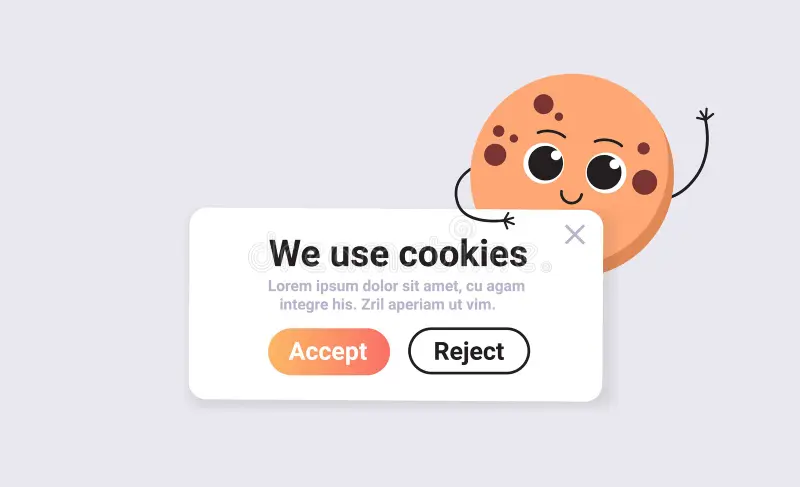
The cookie banner in 2026: what EU rules require and what Consent Mode v2 is
Let me clear up the thing most often misunderstood: the obligation to ask for cookie consent comes not from Slovak law but from European rules: GDPR and the ePrivacy directive. Slovakia transposes them, but they are interpreted identically across the Union. The practical consequence: the requirements for your site are the same as for a German or Czech company.
The second thing worth knowing: since March 2024 Google requires Consent Mode v2. That is no longer about the law but about whether your analytics and advertising will work at all.
Is your cookie banner compliant?
A custom solution with Consent Mode v2, without a monthly plugin subscription.
When a banner is mandatory
Consent is needed if the site uses any cookies other than strictly necessary ones.
Strictly necessary means the ones without which the site does not function: the user session, cart contents, remembering the language, form protection. No consent is required for these.
Everything else requires consent:
- analytics: Google Analytics, Microsoft Clarity, any counter
- advertising and remarketing: Google Ads, Meta Pixel
- embedded YouTube videos and maps, if they load immediately
- chats, social widgets, fonts from third-party servers
Which is to say almost any modern website. If Google Analytics is installed, a banner is needed, even with no advertising at all.
What the banner must be like
This is where mistakes are most common, because banners get installed "so that there is one".
Consent is voluntary. You may not block access to the site until consent is given, and scrolling does not count as consent.
Refusing is as simple as accepting. If "Accept all" is one button while refusal is buried three clicks deep in settings, the requirement is not met. Both buttons at the same level.
Consent is specific. Categories are separated: analytics, advertising, functional. A single "I agree to everything" button with no choice will not do.
Consent is revocable. A visitor must be able to change their decision, usually through a link in the footer.
No pre-ticked boxes. Analytics and advertising categories are off by default.
Nothing loads before consent. This is the crucial point and the one most often broken: the banner is displayed while the analytics scripts have already run. From the rules' point of view that is the same as having no banner.
Consent Mode v2 is a separate story
This is not a legal requirement but a Google requirement, and the two should not be confused.
Consent Mode is the mechanism through which a site tells Google's services whether the visitor consented, and to what. Version v2 added two parameters related to advertising.
What happens without it:
- personalised advertising and remarketing do not work in the European Economic Area
- some conversions go uncounted, and campaigns look less profitable than they are
- reports lose data Google could otherwise have filled in through modelling
When a visitor refuses, the systems send only an anonymous signal without cookies: the data does not disappear entirely but is modelled. All of that works only if Consent Mode is configured.
So its absence hits not the legal side but the money in your advertising directly. If you run campaigns, it is the first thing to check: see the advertising service page.
Shall we talk about your project?
Send a few lines about what you need. I reply within 24 hours, no obligation.
Why ready-made plugins are often worse
The temptation is understandable: install a module, question closed. In practice several problems appear.
A subscription forever. Most ready solutions such as Cookiebot charge monthly. Over two or three years that costs more than your own banner.
They block more than needed. Many plugins stop scripts even where consent was given, because their rules are crude. You lose data for nothing.
They slow the site. An external module means extra requests before the page renders. Google factors speed into positions.
No control over ordering. And ordering is precisely what decides whether Consent Mode works: the consent signal must go out before the tags load.
The design cannot be matched. Someone else's banner looks like someone else's banner.
Your own banner is a one-off job. It is built for your site, sends the right signals in the right order and requires no subscription.
How to check your banner in five minutes
- Open the site in a private window.
- Open developer tools, the Network tab.
- Without clicking anything, see whether requests went to
google-analytics.com,googletagmanager.com,facebook.net. - If they went before consent, the banner is not doing its job.
- Check there is a refusal button at the same level as acceptance.
- Find the link in the footer for changing the decision.
If even one item does not check out, the banner is there for appearances.
Common mistakes
A banner exists but the scripts load before consent. The most widespread error. Formally, consent was never obtained.
Only an "Accept" button. Refusal must be equally available.
No Consent Mode v2. Legally perhaps nothing, but advertising and analytics work worse.
No cookie policy page. The banner must link to an explanation of which cookies are used and why.
Consent is not stored. The banner reappears on every page, so visitors get annoyed and leave.
What to do
- Check against the list above whether your banner actually works.
- Make sure refusing is as simple as accepting.
- Check whether Consent Mode v2 is configured: your advertising depends on it.
- Make sure nothing extra loads before consent.
- Add a cookie policy page and a link for changing the decision.
If you want it done properly
I build a custom banner for your site: in your styling, with the correct ordering of signals, with categories separated, storing the choice and allowing it to be changed. I connect Consent Mode v2 to Google Analytics, Tag Manager and the advertising accounts, and test it against more than fifteen scenarios.
One-off, with no monthly subscription. Details and price on the Cookie Consent Mode V2 service page.
I have lived in Slovakia for over ten years and have launched 12+ sites for Slovak companies. I work as a Slovak s.r.o. and issue a faktúra with an IČO.
Related: GDPR for a small company, the mandatory details on a website and configuring Google Analytics 4.
Do you know how many enquiries the site actually brought?
I set up GA4, Tag Manager and conversion tracking so the numbers match reality.